

Transfer budget
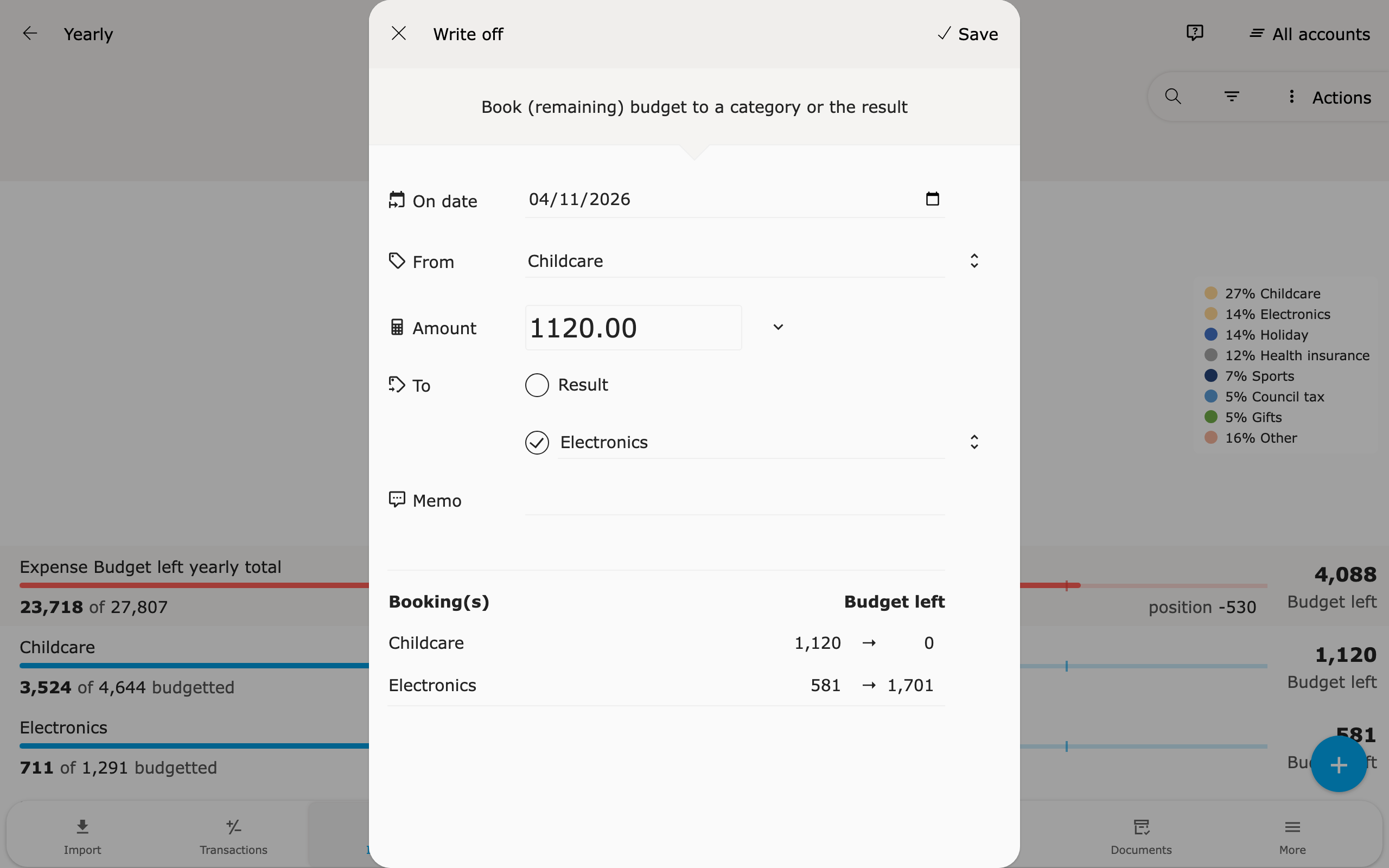
With Write off you book budget left from a category to another category or to the result. In other words, booking budget from pot to pot.
How it works
Section titled “How it works”-
Open the Budget tab of the category.
-
Click Write off.
-
Choose Result or a category under To.
-
Enter a Memo if you like.
-
Change Amount or On date if needed. With the arrow next to Amount you take over Budget left or Position.
-
Check under Booking(s) how budget left changes.
-
Click Save.
Spendle creates a one-time budget rule in the category under From. If you choose a category, a rule is also created in that category. The memo refers to the other category, for example → Clothing and ← Holiday.
To category or to result
Section titled “To category or to result”- To category — the budget of one category goes down and the budget of the other category (of the same type) goes up. The total budget and the result forecast stay the same.
- To result — only the budget of this category changes. For an expense category, the budgeted result then goes up. This is shown in Insight under Result, in Budget and Prognosis.
Budget left or position
Section titled “Budget left or position”- Budget left — the budget minus the actual amount over the whole period. This is the default.
- Position — the difference between budgeted and actual so far. For an expense category, that is what you spent less than planned. This lets you move only that gain on the budget to another pot.
If you take over Position, Spendle sets the date to the last day of the previous month. That way the booking counts in the months where the position came from.
With position method Yearly, the position is usually 0 until the end of the year. See Position.
💡 Tips for use
Section titled “💡 Tips for use”With position method Yearly, budget that has not been spent keeps moving forward. That is where budget is often left, especially at the end of the year.
This is how to see which categories with position method Yearly still have budget left:
-
Open Insight and choose Expense.
-
Choose Budget left.
-
Choose per budgetmethod in the list and open Yearly.
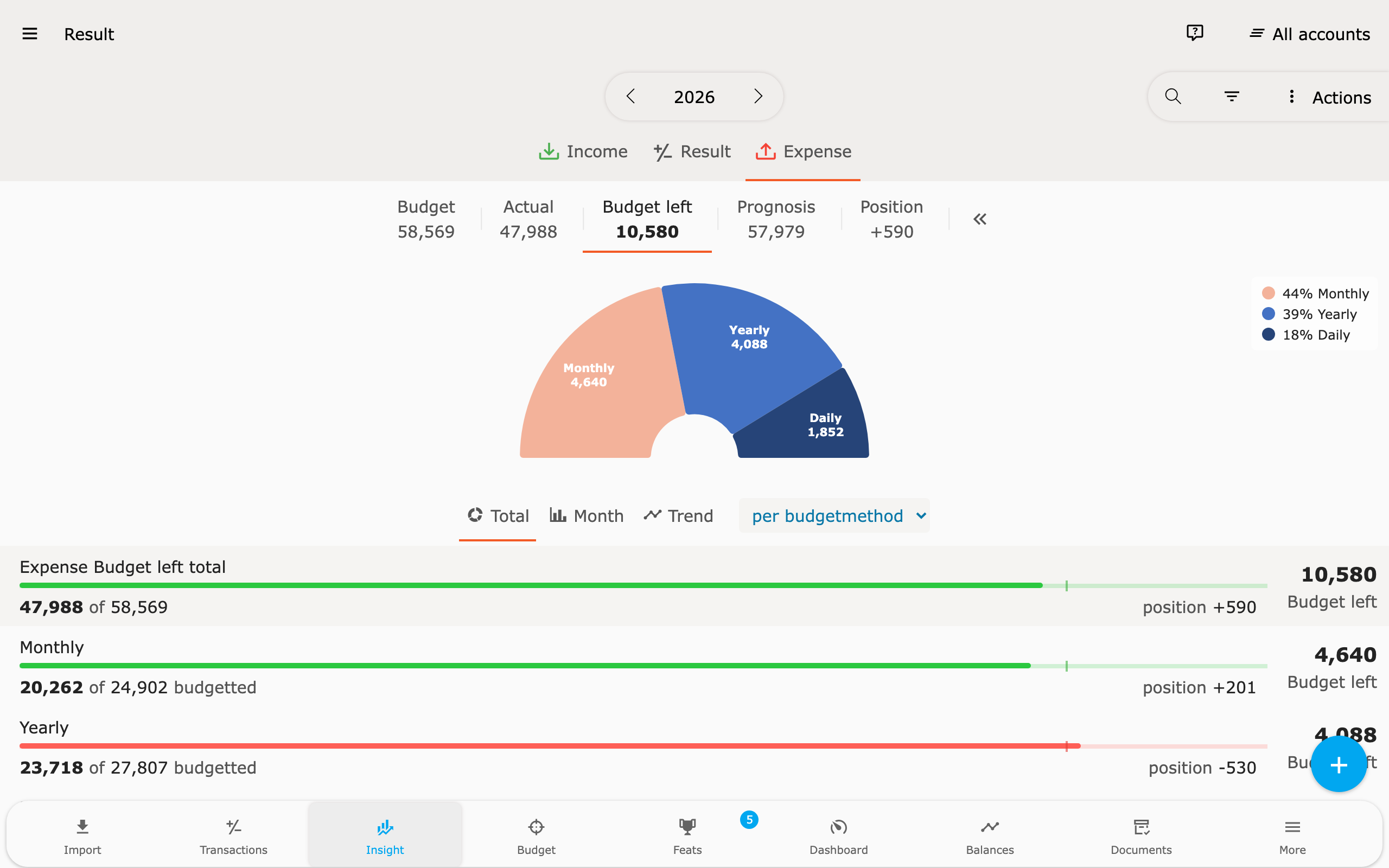
You can also use per group type, for example with Non-essential. That group holds expenses that are not essential. You can book budget left there to the result, or to another category to raise its budget.
Click a category to open it and book the budget left.
If you take over Position, you only book what you have spent less than budgeted so far. That amount can go to a category for something fun, for example.
Frequently asked questions
Section titled “Frequently asked questions”Can I book part of the budget left? Yes. Adjust the amount before you save.
What if the budget is exceeded? Then budget left is negative, and so is the filled-in amount. The budget then goes up to the actual amount.
Can I book from expenses to income? Yes. Under To, click the button next to the field and choose an income category. The budget then goes down in both categories. This keeps the result the same.
How do I undo a booking? Open the budget rule and choose ⋮ > Delete. For a booking to a category, do this in both categories.