

Log out
Spendle keeps you logged in until you log out yourself. Logging out takes two steps: first close your administration, then log out of your Spendle account.
Step 1: close the administration
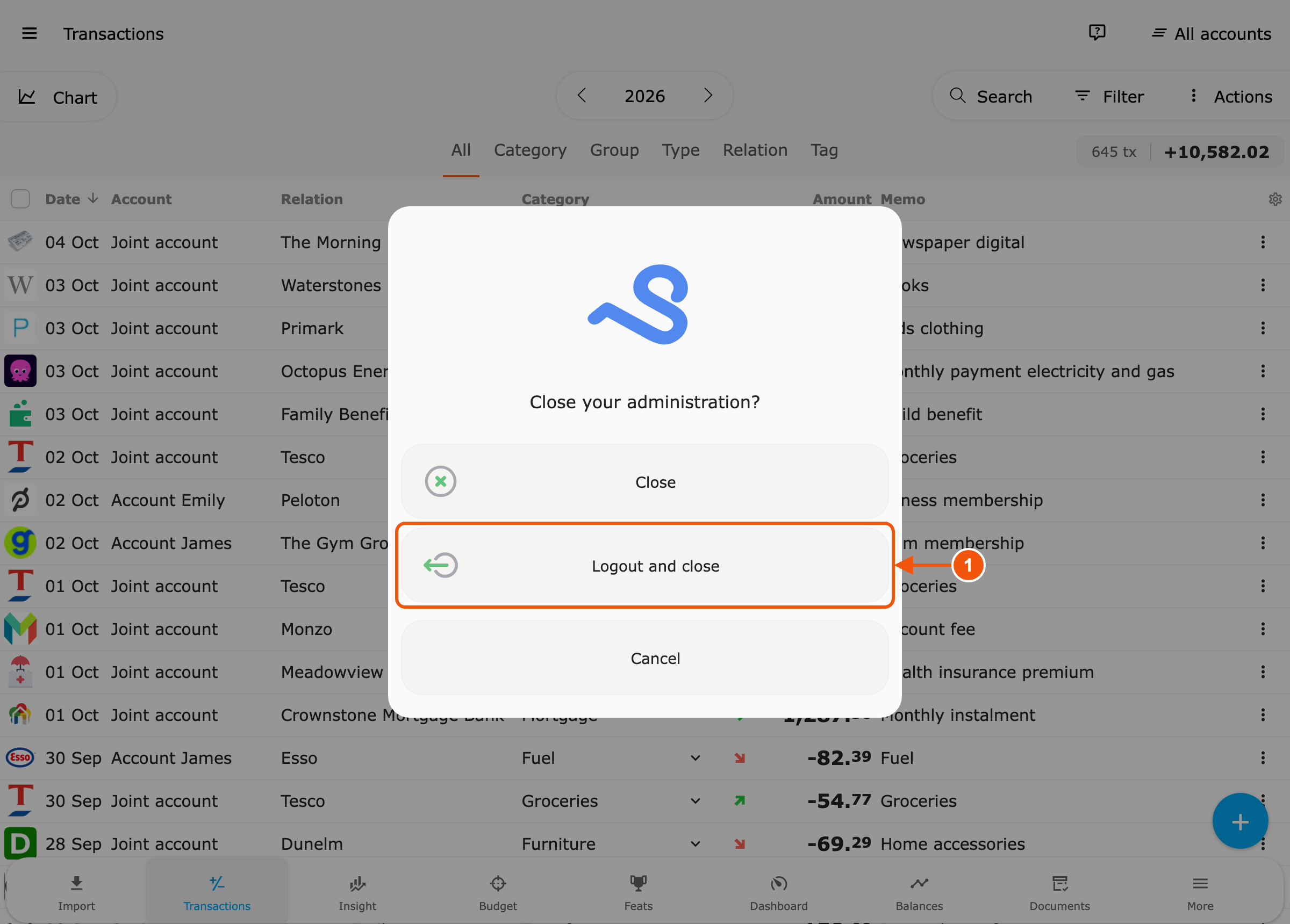
Section titled “Step 1: close the administration”Open the menu at the top left and choose Close. You get two choices:
| Choice | Administration | Administration password |
|---|---|---|
| Close | closes | stays stored on this device |
| Logout and close | closes | is forgotten on this device |
Logout and close does not log you out of your Spendle account yet. The next time you open the administration, you enter its password again.
Step 2: log out of your Spendle account
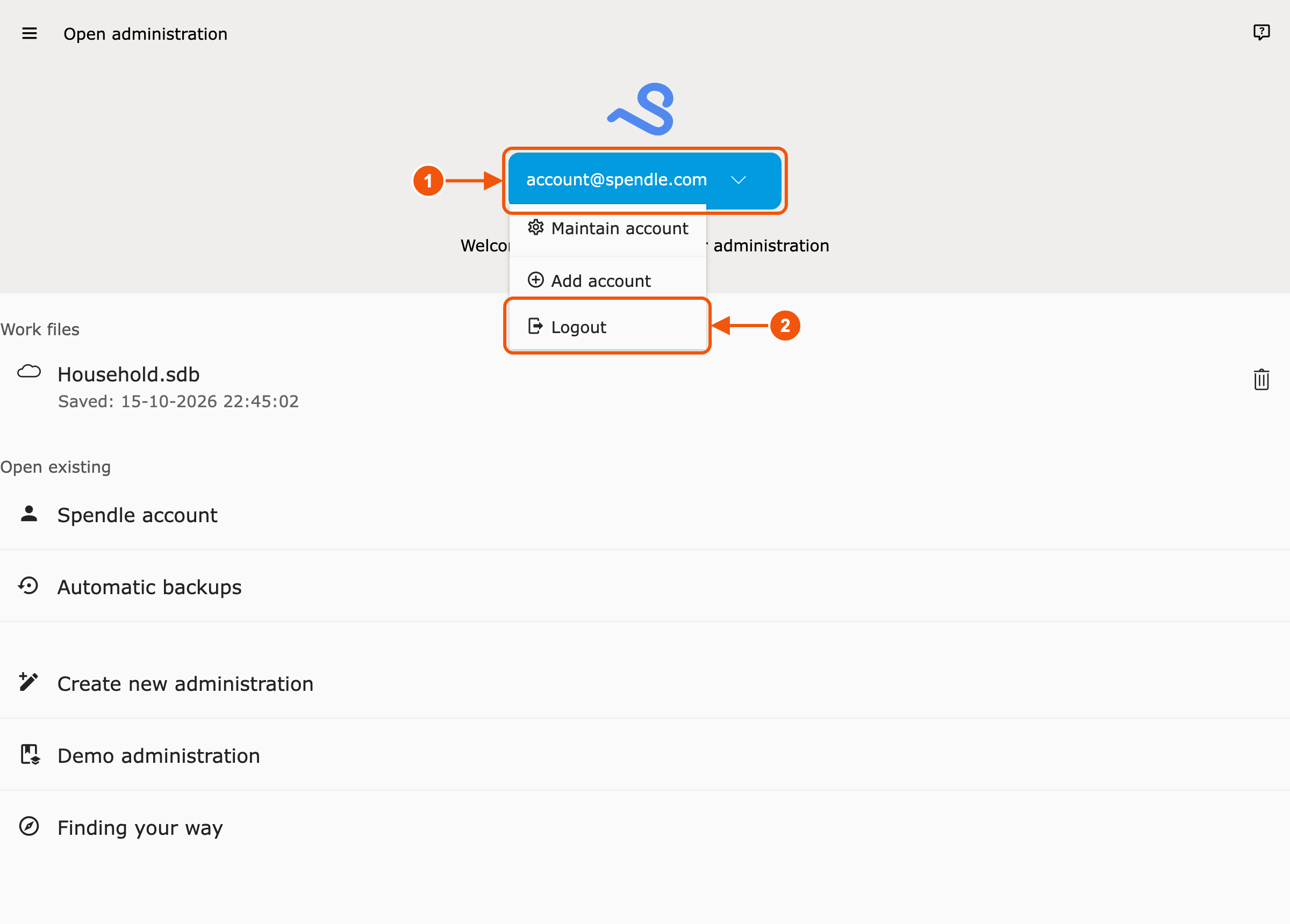
Section titled “Step 2: log out of your Spendle account”You arrive at the start screen. Click your e-mail address (1 in the screenshot) and choose Logout (2). Confirm with Logout.
Log out via the menu
Section titled “Log out via the menu”You can also log out via the account page:
- Open the menu at the top left.
- Click your e-mail address at the top.
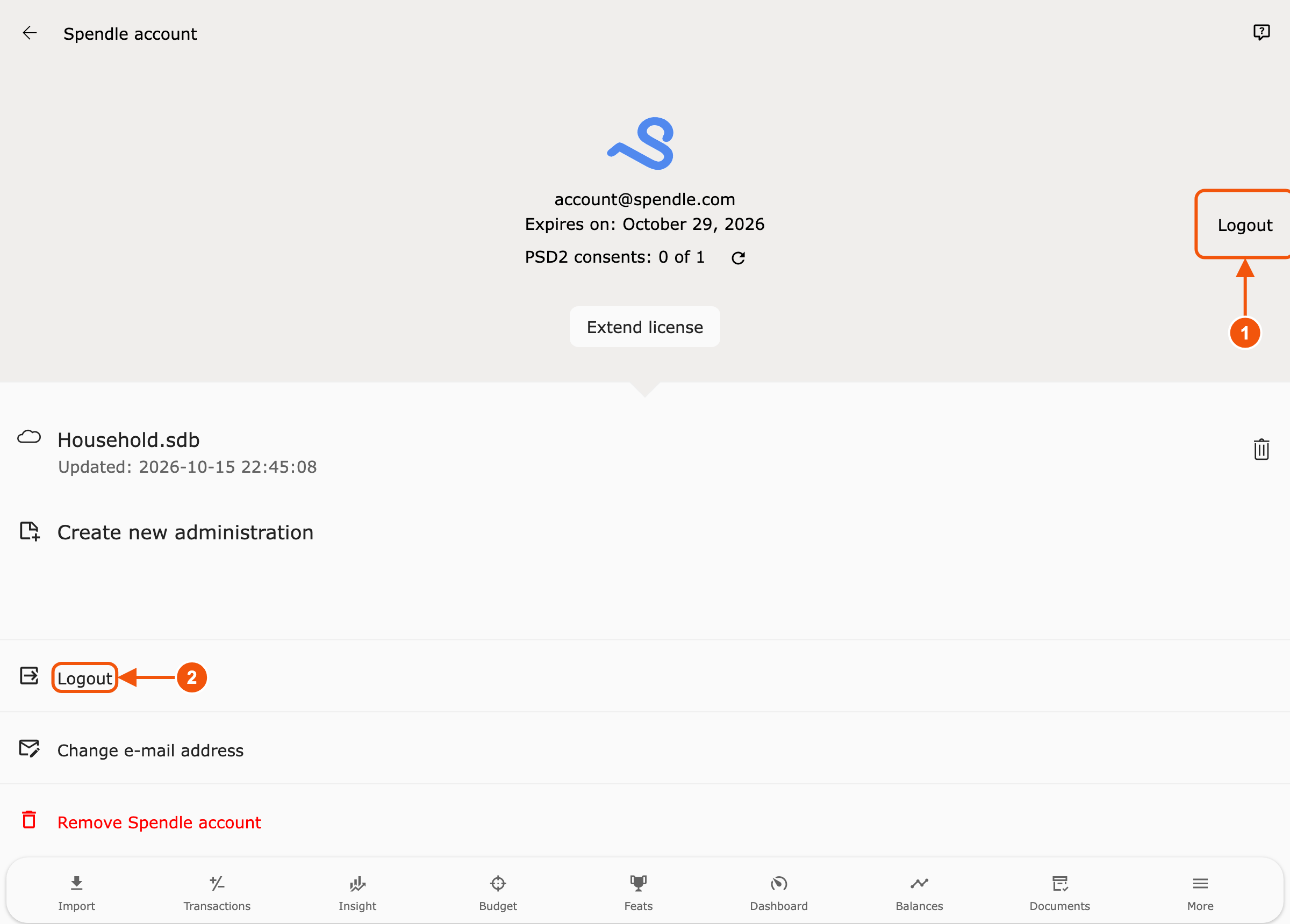
- Click Logout: at the top right (1) or in the list (2).
- Confirm with Logout.
If an administration is still open, Spendle closes it first. The administration password then stays stored.
What is kept
Section titled “What is kept”The working files on your device are kept. Logging out does not remove anything from your Spendle account.