

Net worth
The net worth chart shows how net worth develops, based on the expected result from the budget and the movement of accounts according to configured depreciation schedules.
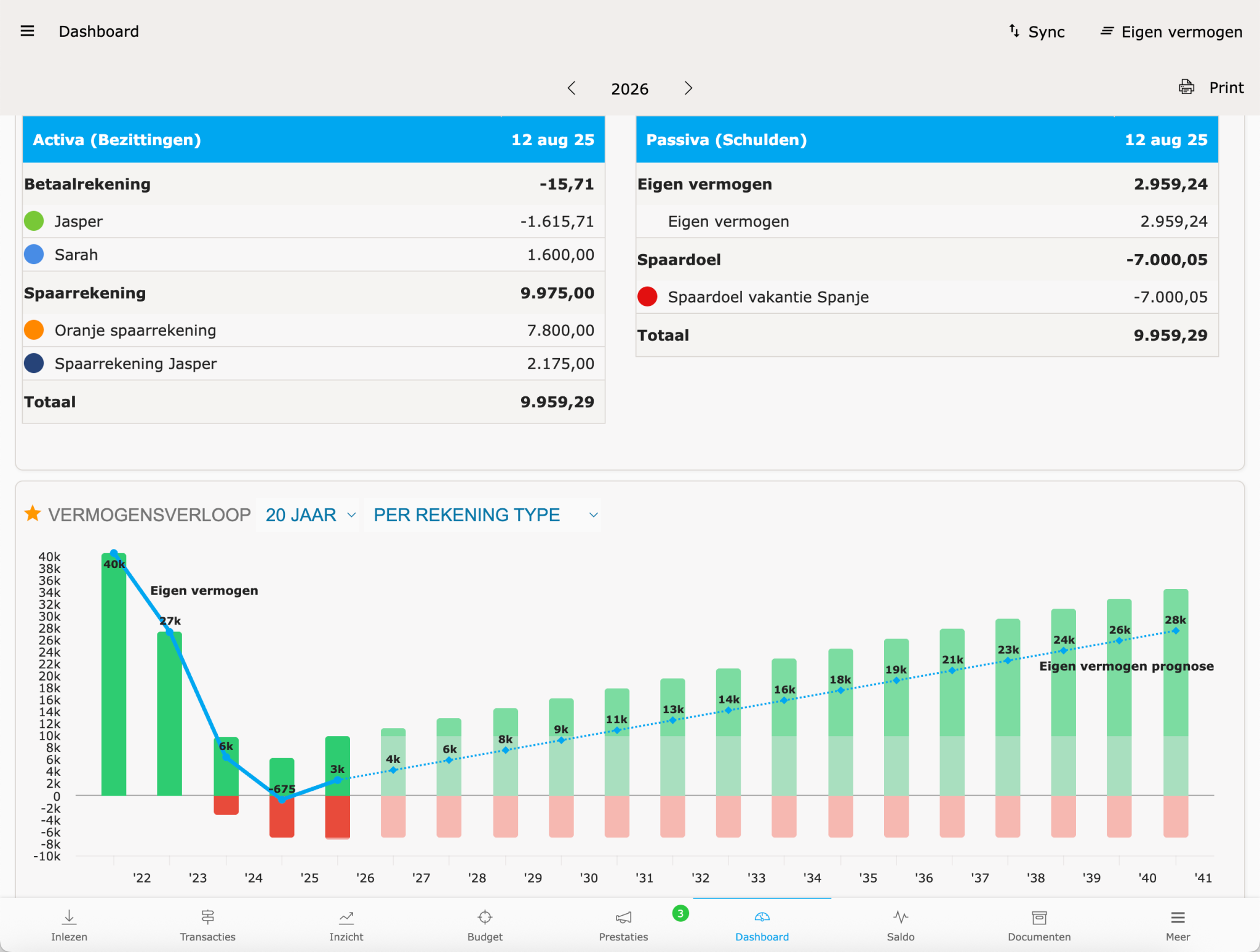
How net worth is calculated
Section titled “How net worth is calculated”Net worth = total assets − total liabilities.
Assets include current accounts, savings accounts, and investment accounts, plus depreciated assets (car, furnishings). Liabilities include a mortgage, loan, or outstanding credit card balances.
The chart offers different views:
- Total net worth.
- By account type — assets and liabilities side by side.
- By account group — for example savings accounts, investments, property value.
- By account.
For by account and by group, data is shown as lines.
Setting the period
Section titled “Setting the period”The chart can be viewed over different periods:
| Period | Look back | Look ahead |
|---|---|---|
| 5 years | 2 years | 3 years |
| 10 years | 3 years | 7 years |
| 15 years | 5 years | 10 years |
| 20 years | 5 years | 15 years |
| 30 years | 10 years | 20 years |
| 40 years | 10 years | 30 years |
Setting account colours
Section titled “Setting account colours”To make charts more readable, a custom colour can be set per account:
- Open the Account balance card.
- Click on the account whose colour you want to change.
- Choose a colour.
For a group, Spendle automatically uses the colour of the underlying account with the highest balance.
Customising the dashboard
Section titled “Customising the dashboard”Cards on the dashboard can be hidden or restored using the star icon to the left of the card title. Hidden cards appear at the bottom under Hidden cards.
Printing
Section titled “Printing”The print function produces a dashboard overview — useful for periodic reports, for example for budget management or accountability purposes.