

Forgot password
Spendle has two types of password: your account password (for signing in) and your administration password (for encrypting data). The account password can be reset via your email address. The administration password cannot be reset — recovery is only possible if you are still signed in on another device.
Forgot account password
Section titled “Forgot account password”This can be reset via your email address.
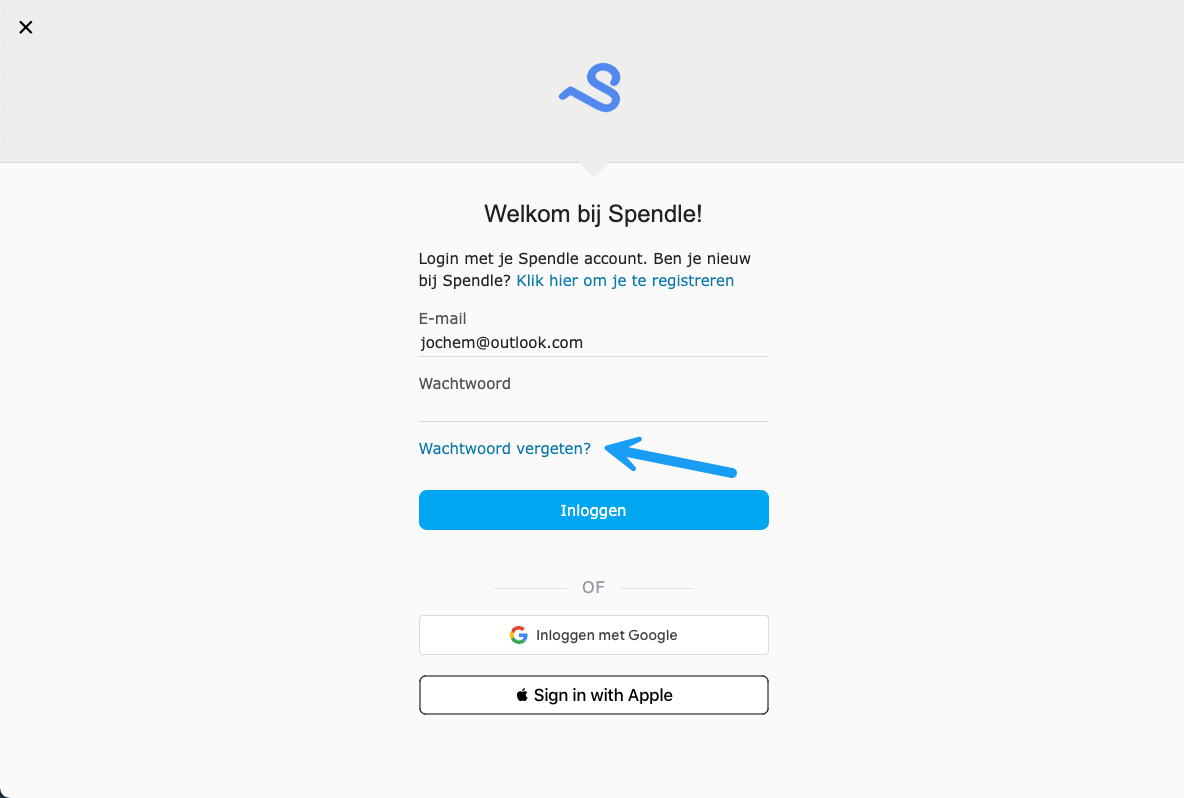
-
Click Forgot password? on the login screen.
-
Enter your email address and click Send reset code.
-
Check your email for the reset code.
-
Enter the reset code and set a new password.
Forgot administration password
Section titled “Forgot administration password”The administration password encrypts the data of a single administration and is not stored on any server. A reset is not possible via email, but there is a recovery path if you are still signed in somewhere.
Still signed in on a device
Section titled “Still signed in on a device”-
Open the administration on the device where you are still signed in.
-
Go to hamburger menu > Administration.
-
Click Change password and choose a new password that you keep safe (for example in a password manager).
-
Synchronise the administration with your Spendle account.
-
On the other device: open hamburger menu > Open > Spendle account and select the administration there. Do not open the local working file — it still uses the old password.

