

From the ideas box
In the February 2026 II release of Spendle, suggestions from the ideas box were incorporated again. Below is an overview of the changes.
Flow diagram
Section titled “Flow diagram”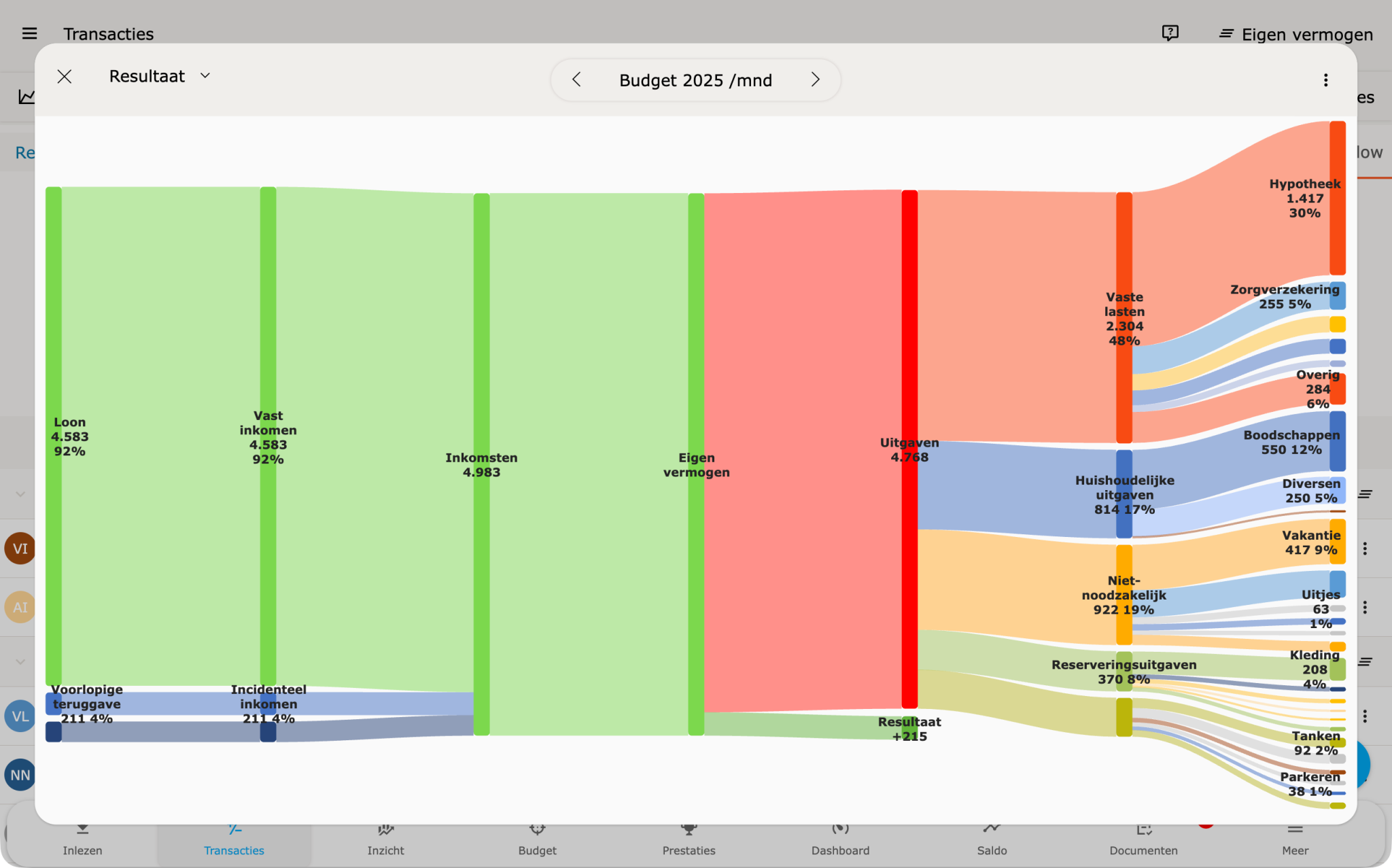
The interactive flow diagram is the main addition in this release. The diagram shows money flows: where money comes from and where it goes.
The flow diagram is available in three places:
- In the transaction screen
- On the dashboard
- In Budgets
In full-screen mode you can switch between:
- Actual data
- Budgets
- Forecast
The diagram shows figures per year or as a monthly average.
For a monthly or salary-month period in the transaction screen, you can navigate between the relevant (salary) months in the expanded view.
The diagram can be exported as PNG or SVG and printed directly. On mobile, a double-tap interaction was added to prevent accidental filtering.
Budgets
Section titled “Budgets”From Budgets, the flow diagram opens directly to the budget allocations. This shows the relative proportions between budgets in a single view.
Re-run rules
Section titled “Re-run rules”Rules can now be re-run via the action menu on the rule. This applies changes or corrections without separate steps.
Various bug fixes
Section titled “Various bug fixes”In addition to new functionality, minor improvements and bug fixes were applied.
Submit ideas
Section titled “Submit ideas”Ideas are welcome via the ideas box. Not everything can be implemented immediately or technically, but every submission is considered in the further development of Spendle.