

From the ideas box — October 2026
Requests came in this month from the ideas box and from users switching from Mijngeldzaken. They concerned the transaction list, charts, the dashboard and reading bank files.
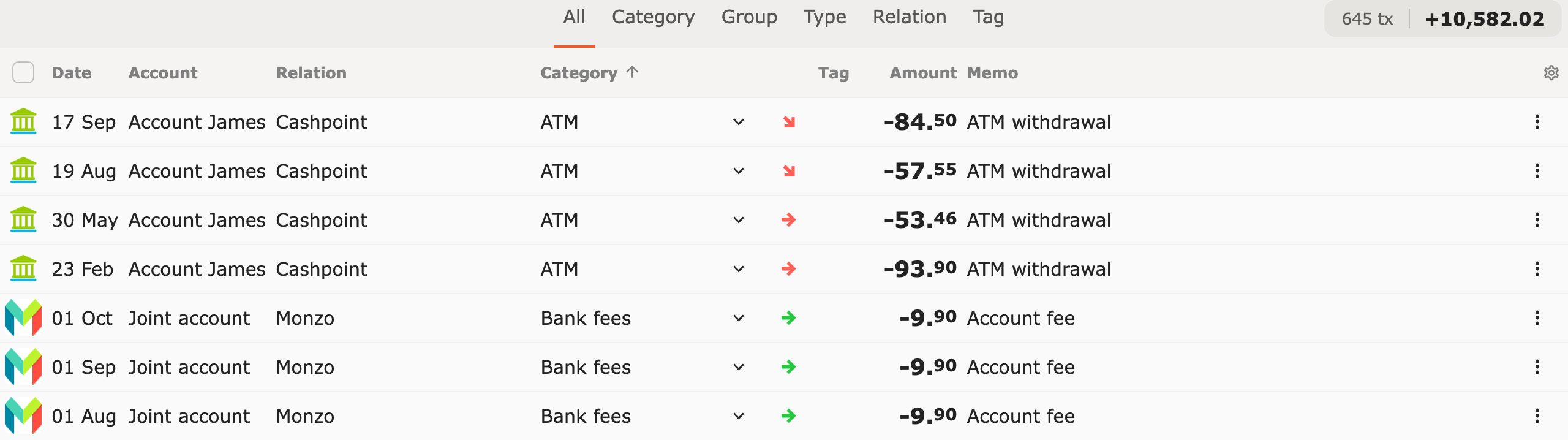
Column headers in the transaction list
Section titled “Column headers in the transaction list”On a screen from about tablet width upward, a row of column headers appears above the transaction list. Click a column header to sort by that column: Date, Amount, Relation, Category, Account or Tag. A small arrow shows which column is sorted. For columns other than Date, a third click turns sorting off again.
The checkbox on the left selects all transactions in the list. The gear icon on the right opens Column display. See Column headers.
Two new chart types
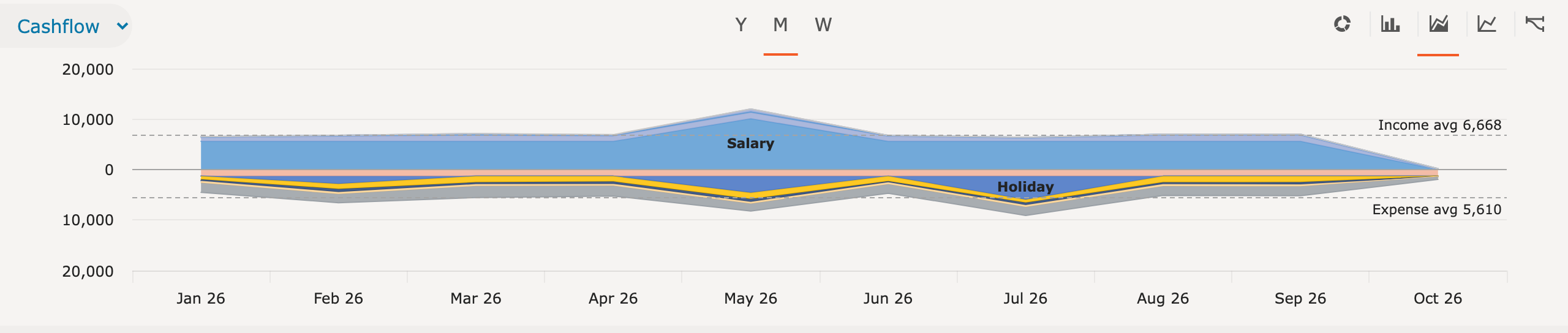
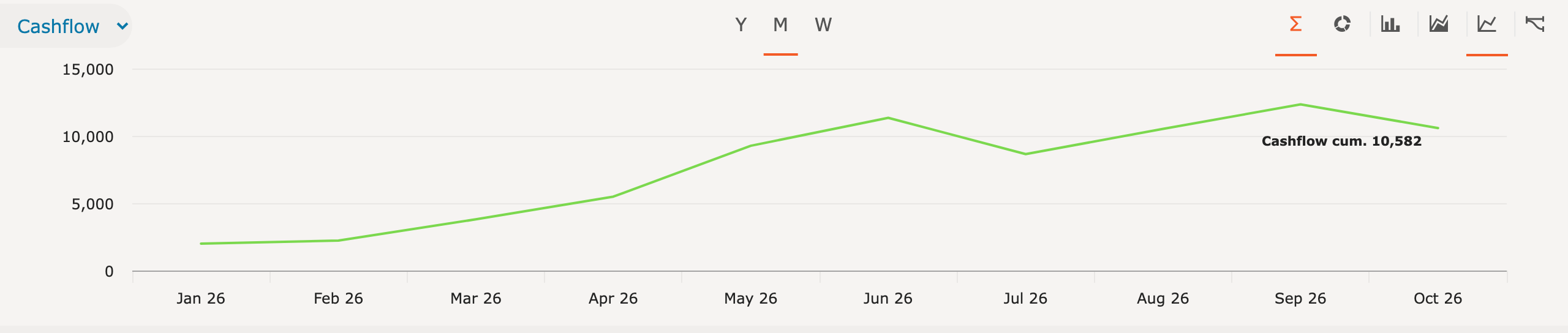
Section titled “Two new chart types”The chart above the transaction list has two new types.
- Area shows the trend over time per category, group, type, relation or tag. This depends on the tab below the chart. Income appears above the zero line, expenses below it. Dotted lines show the average per period for each side.
- Line shows the result per period. The Σ button shows the cumulative result over the whole period.
On a phone, select the chart type from a dropdown list. See Chart view.
Multi-year overview and savings rate
Section titled “Multi-year overview and savings rate”The dashboard has two new cards below Net worth projection.
- Multi-year overview shows income and expenses per year, each in its own stacked area chart. The number of years can be set to 5, 10, 15, 20 or all years. The breakdown is per type, group type, group, category or relation. The ten largest get their own area, the rest is shown as Other. With Result, internal transfers are left out; with Cashflow they are included.
- Savings rate shows per year the difference between income and expenses as a percentage of income. Internal transfers are not included.
The years run up to and including the year selected at the top. The current year counts up to today. Both cards follow the selected accounts and can be hidden with the star icon.
More bank file formats
Section titled “More bank file formats”Besides CSV and Excel, Spendle now also reads in MT940, CAMT.053, QIF and OFX (version 1 and 2). For a new account, MT940 and CAMT.053 also fill in the reference balance from the file. See Import CSV or Excel.
Checking what was assigned automatically
Section titled “Checking what was assigned automatically”In the filter screen, under Special, is the option Assigned by action rule. It shows the transactions where an action rule filled something in, such as the category, relation, tag, contra account or split. This way, you check after importing what was assigned automatically. See Search and filter.
Switching from Mijngeldzaken
Section titled “Switching from Mijngeldzaken”A subcategory that was excluded in Mijngeldzaken becomes a category with Transfer checked on import. See Switching from Mijngeldzaken.
A new administration for each year is not needed. See One administration for all years.
Availability
Section titled “Availability”The features are available in the web app from October 2026. Activate via Menu → Software update. The Android and iOS apps will follow later.
Submitting ideas
Section titled “Submitting ideas”Ideas are welcome via the ideas box. Not everything can be implemented directly or technically, but every submission is taken into account in the further development of Spendle.